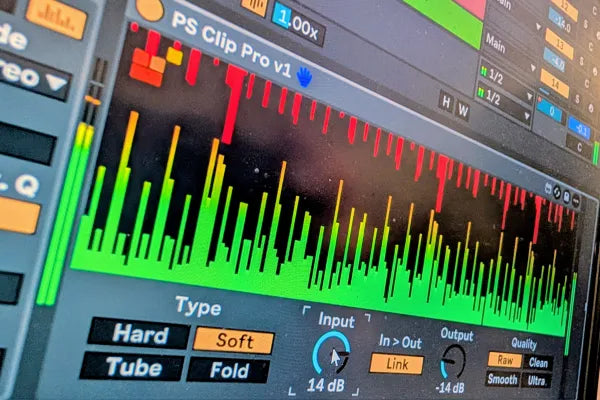
Most producers meet clipping by accident. You are pushing for loudness, the limiter is working harder than it should, the track is starting to sound flat and lifeless, and somewhere in a forum thread someone says "just clip it." So you load something, drive it until the numbers look right, and either it works by luck or your drums turn to mush. Either way you are not really sure what just happened.
That is a shame, because clipping is one of the most useful tools in loud electronic music, and it is not complicated once you can see what it is doing. After three decades of getting records loud, I reach for a clipper before a limiter more often than not. The hard part has never been the maths. It has been that most clippers make you work blind.
What clipping actually does
A clipper takes the very top off a waveform. When a peak goes past the threshold, instead of turning the whole signal down to make room, which is what a limiter does, the clipper simply shaves the peak flat and keeps everything else exactly where it was.
That distinction is the whole game. A limiter reacts to a loud transient by pulling everything down for a moment, and on a busy dance track that constant pulling is what robs a mix of life. A clipper does not pull anything down. It removes the tiny, sharp peaks that were eating all your headroom in the first place, and leaves the body of the sound untouched.
Those peaks are sneaky. On a kick or a snare, the very first few milliseconds can be ten or fifteen dB above the rest of the hit, and your ear barely registers them as level. They do not make the track feel louder. They just trip your meters, push your limiter into overdrive, and stop you getting any closer to a competitive master. Shave them off cleanly and the whole chain after them relaxes. Suddenly there is room, and the loudness you were fighting for arrives almost on its own.
Where clipping beats a limiter
Think of it as division of labour. The clipper handles the fast, sharp, percussive peaks, the transients that are spiky but not actually loud. The limiter then handles the slower, overall level, and because the clipper has already taken the worst of the spikes away, the limiter has far less to do and does it far more transparently.
Run them the other way around, or lean on the limiter alone, and you are asking one tool to do two jobs it is not suited to. That is the sound of a crushed master: a limiter being punished by transients it should never have had to see.
Why the interface is the actual product
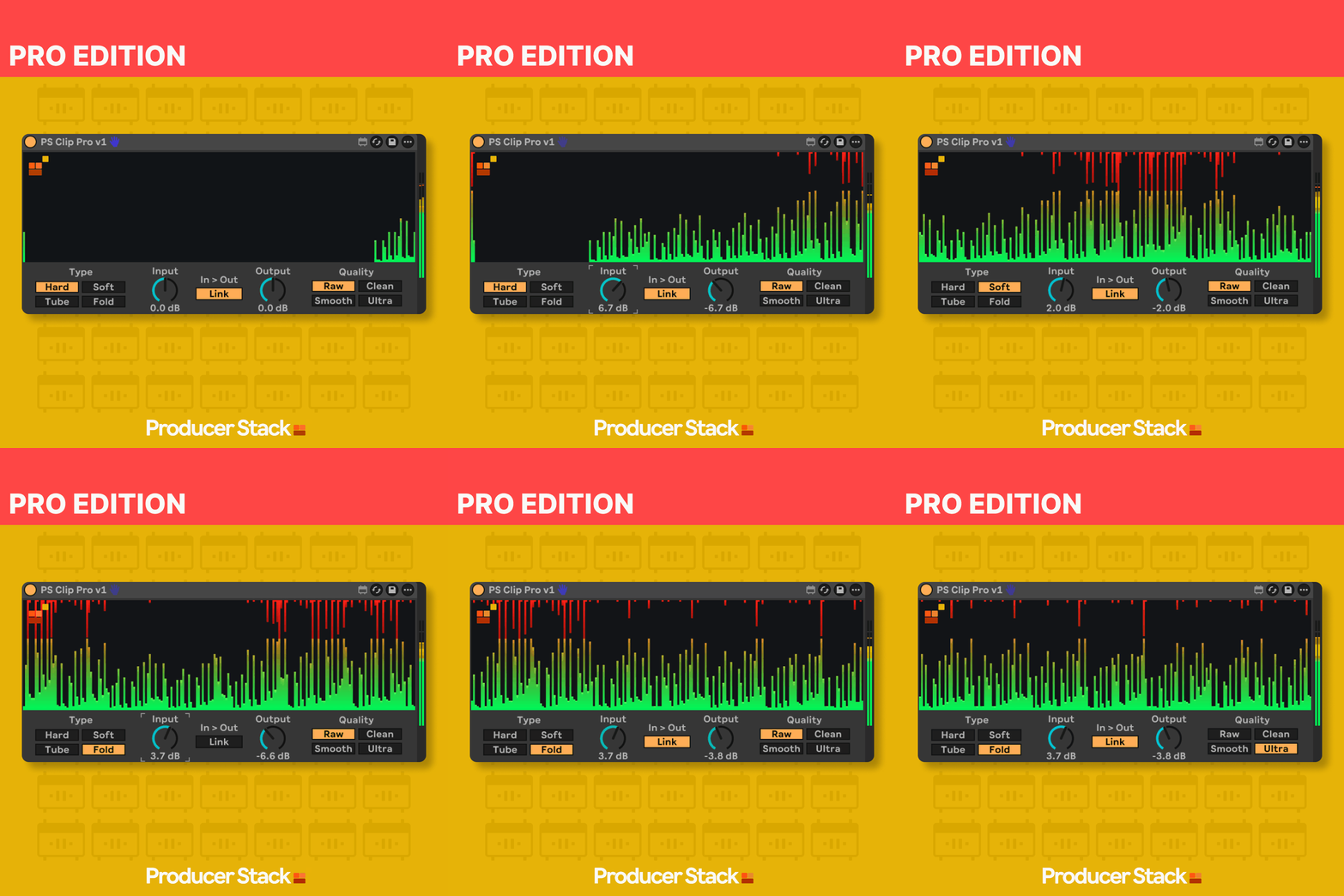
Here is the thing nobody says out loud. The clipping algorithm is not exotic. Clipping is a simple idea, and plenty of devices do it. What makes clipping hard in practice is not the processing, it is everything around it: seeing where your peaks are, knowing how much you are shaving, choosing the right shape of clip for the material, and doing all of that without leaving Ableton or loading three utilities to read what is going on.

That is what PS Clip Pro is really about. It is a low-overhead clipper built to live in an Ableton session, with the interface doing the heavy lifting. You can see the signal, see what is being clipped, and choose between clipping characters for different material, all in one device, without the guesswork. The point was not to invent a new way to clip. It was to make the clipping you already want to do visible and quick, so you stop driving it by luck and start driving it by eye.
Low overhead matters more than it sounds, too. A clipper often sits on individual drums as well as the master, so you might have several instances open at once. A device that stays light lets you use it where it actually helps rather than rationing it.
A simple way to start using it
Put a clipper on your drum bus before anything else in the chain. Pull the threshold down slowly and watch the transients get shaved while the body of the kick stays put. You are listening for the moment the drums get punchier and more solid, and you want to stop just before they start to sound dull or flat. That window is usually wider than you expect.
Then, and only then, go to your master and set your limiter. You will almost always find you need less limiting than before, because the spikes that were tripping it are already gone. That is the combination that gets a track loud without the life draining out of it.
Where the device fits
PS Clip Pro is a dedicated clipper for Ableton Live with a handful of clipping characters and an interface built so you can actually see what you are doing, at a low CPU cost so you can use it freely across a session. It is part of how we think about loudness in general, which is a topic worth understanding on its own terms. If you have not read the piece on why loudness still matters in electronic music, that is the context this device sits inside, and the two together will do more for your masters than either alone.