
Clip with Character: PS Clip Pro for Ableton Live

Max For Live Audio Device

Ableton Live's Saturator can clip, but clipping isn't what it was designed for. PS Clip Pro is a dedicated stereo clipper built as a Max for Live audio effect, with four distinct algorithms, Hard, Soft, Tube and Fold, each tuned to a specific harmonic character, from punchy brickwall transient control to complex wavefolder saturation.

Anti-Derivative Anti-Aliasing across all four quality modes keeps the output clean at any drive level, with zero additional latency and under 1% CPU per instance.

Sale price£14.99 GBP
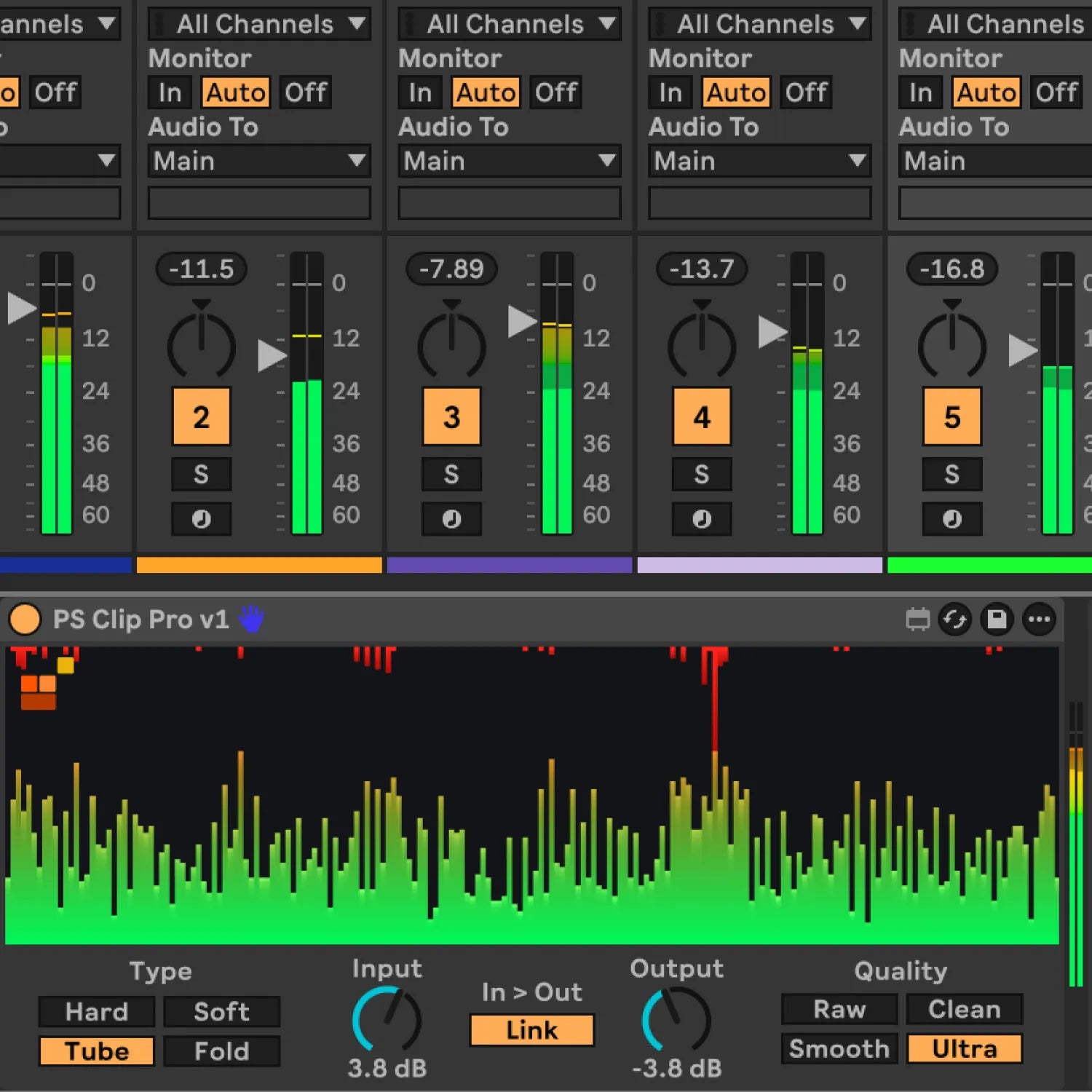
Clip Pro device loaded on midi tracks in Ableton Live 12 with Hard and Ultra settings

What PS Clip Pro Does

Ableton's Saturator reaches a ceiling, but its architecture isn't built around clipping character, it's a general-purpose saturation tool. PS Clip Pro is built specifically for clipping, with four algorithms that each produce a distinct harmonic profile.

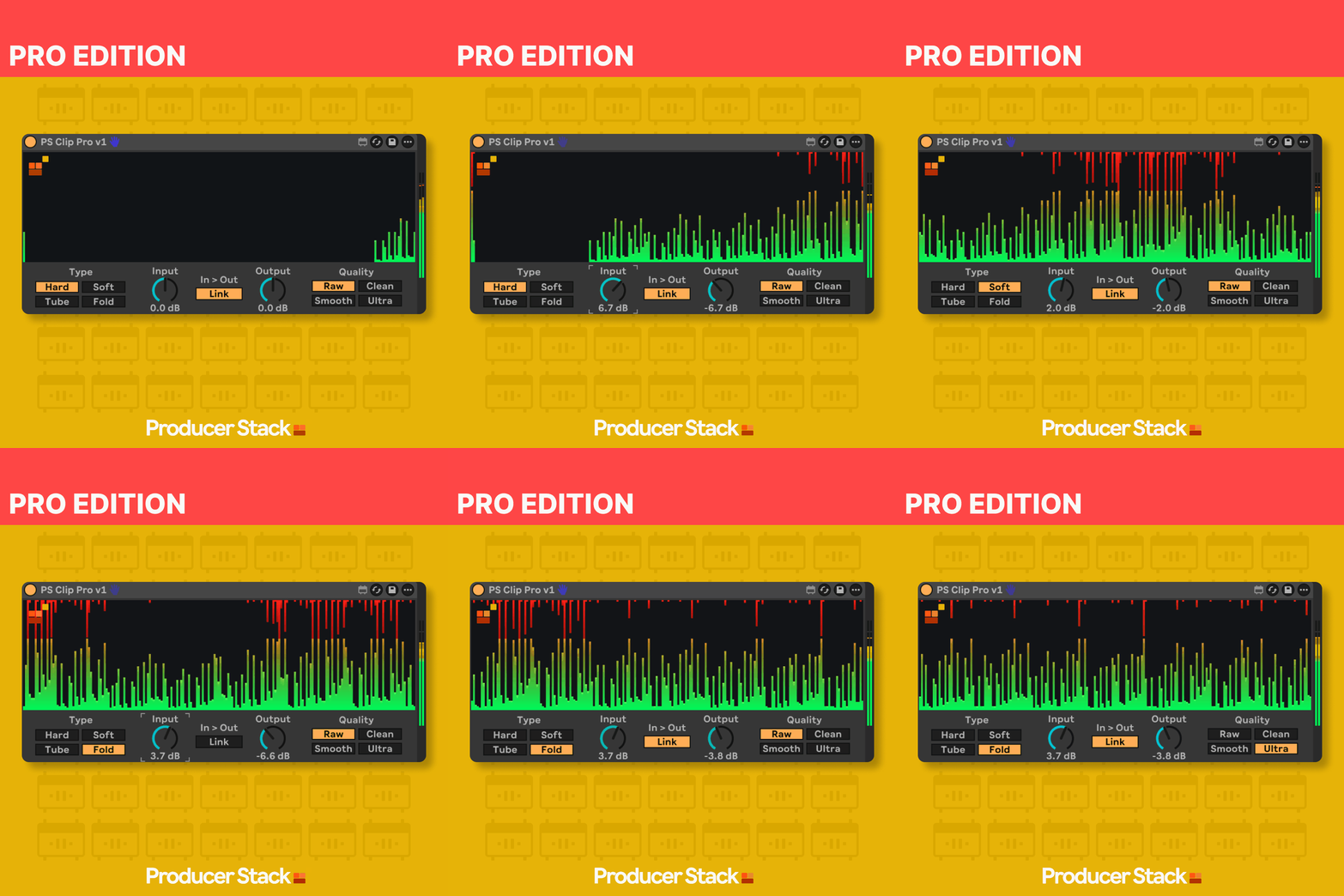
Hard clips the signal at a brickwall ceiling, producing strong odd-order harmonics. It's the most direct approach, fast, punchy, and digital. The right choice for transient control on kicks and percussive material.

Soft uses a tanh saturation curve to round the signal gently toward the ceiling, producing smooth analogue-style warmth close to tape and transformer saturation. The harmonic balance is predominantly odd-order. Good for buses and mix glue.

Tube uses a polynomial saturation function (x − x³/3) to approximate the gentle compression and colouration of a tube amplifier stage. Warmer and more coloured than Soft, with a different harmonic balance.

Fold uses a sine wavefolder to wrap the signal back on itself rather than clipping it. At moderate drive the result is musical and complex; pushed hard it becomes progressively aggressive. The only algorithm that generates significant even harmonics alongside odd.

Anti-Derivative Anti-Aliasing (ADAA) is applied at all four quality levels, Raw, Clean, Smooth and Ultra. Unlike traditional oversamplers, ADAA suppresses aliasing artefacts analytically, without running the audio at a higher internal sample rate. The result is zero latency, no PDC compensation is required, and CPU usage stays below 1% per instance across all quality modes.

Want the full details before you buy?

Download the product manual for a detailed overview

Download User Manual

Want to try before you buy?

The Standard edition is free on maxforlive.com

Free Standard Edition

Professional Max for Live Design

All devices built with optimised CPU performance, bulletproof stability, and intuitive interfaces tested by working producers for reliable session performance.

Seamless Ableton Integration

Every device integrates natively into Ableton Live with full automation support, preset management, and zero plugin-bridging latency for frictionless workflow.

Clear Commercial Licensing

All Max for Live devices supplied with straightforward commercial licenses. Use in your productions with complete confidence.

Why This Matters

Every Max for Live device we make follows one principle:

Remove friction, don't add features.

This tool works the way Ableton would have done it if they'd thought of it.

No flashy graphics.
No subscription.
Just a problem solved.
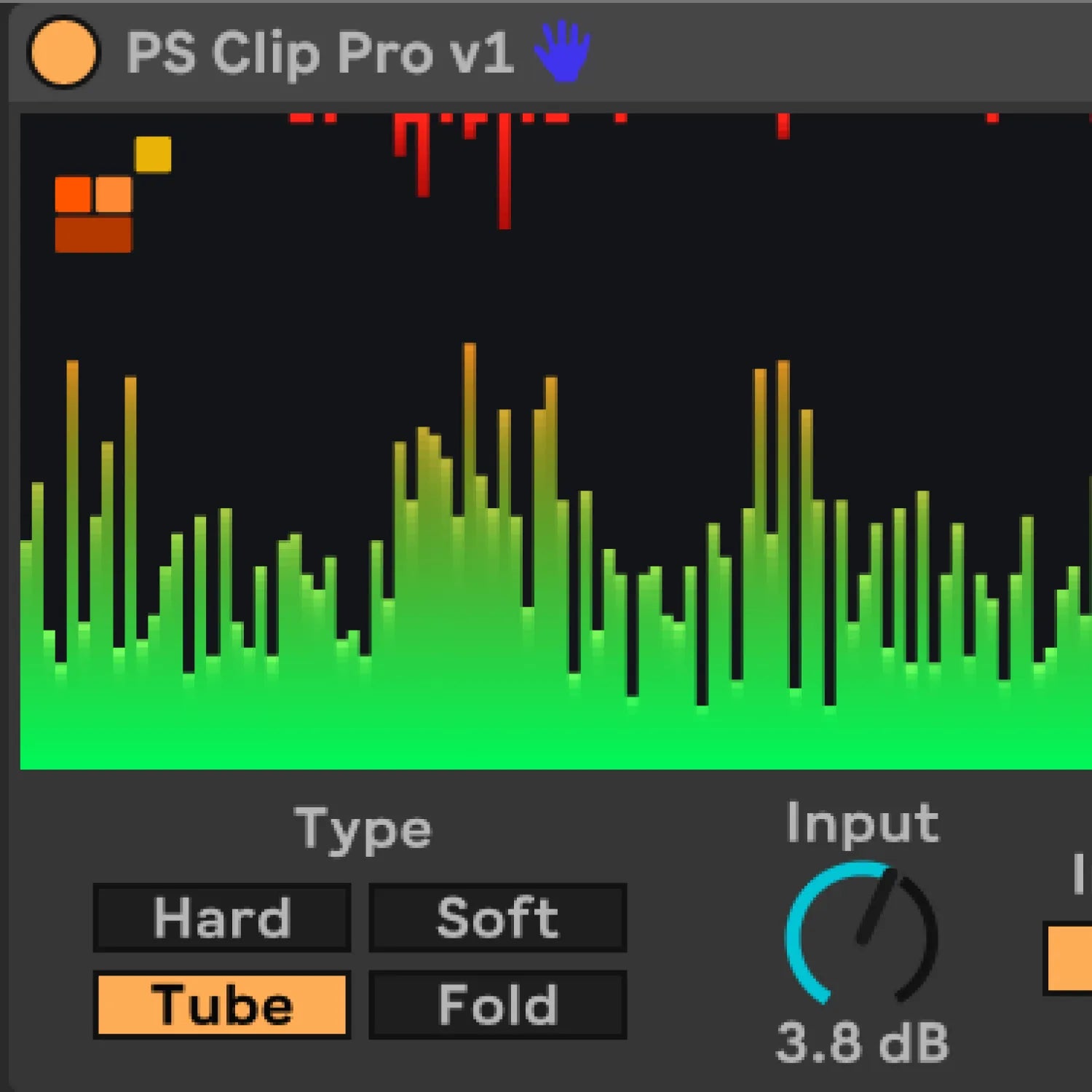
Clip Pro device loaded on midi tracks in Ableton Live 12 with Tub and Ultra settings

PS Clip Pro | Use Cases

Transient shaping on kick and snare: Hard clip with Input pushed 3–6 dB and Link enabled. The brickwall ceiling tames the sharpest peaks aggressively while the scrolling visualiser shows you exactly how much the signal is being caught. Keep the red zone to the transient tip only.

Bus saturation and mix glue: Soft or Tube at Clean or Smooth quality. Drive the Input just enough to see amber in the visualiser without consistently triggering the red zone. Adds warmth and cohesion without audible distortion.

Harmonic interest on static synth patches: Fold mode at moderate input gain creates complex harmonic content that changes character significantly with drive amount. Automating the Input dial introduces movement and life across a sustained patch.

Loudness maximising: Hard clip at Ultra quality with input set so the red zone catches peaks consistently, Output used to compensate for the gain reduction. ADAA at Ultra keeps the result clean even at heavy clip amounts.

Level-matched A/B comparison: Enable Link, then sweep the Input dial between 0 dB and higher drive values. Consistent output level means you're evaluating harmonic character, not loudness bias.

Clip with Character: PS Clip Pro Max Tool for Live Device for Ableton Live

Clip Pro | Demo Video

Clip with Character: PS Clip Pro Max Tool for Live Device for Ableton Live

Compatibility, Ableton Live & Max for Live

  • Install by dragging the .amxd file directly onto any audio track, or save to your User Library for permanent browser access
  • macOS 10.13 or higher / Windows 10 or higher
  • Pro Edition, Standard Edition available FREE on Maxforlive.com
  • Ableton Live 12.0.5 or higher (Suite, or Standard with Max for Live purchased separately)

See User Manual

Clip Pro | Frequently Asked Questions